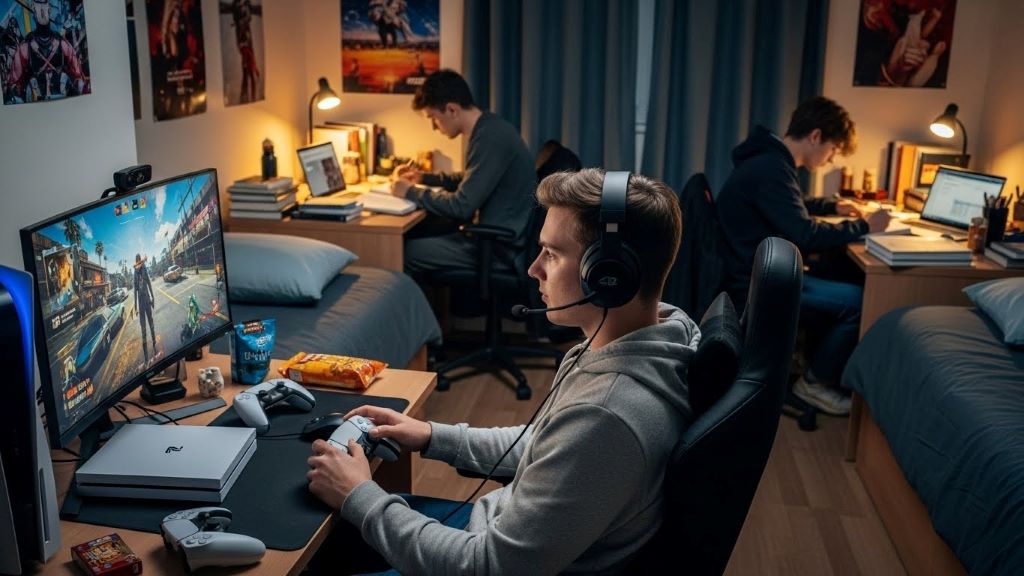
PS5 Microphone for Shared Room Gaming
Gaming in a shared room presents unique audio challenges. You need clear voice communication with teammates while avoiding background noise from roommates. Choosing the right PS5 microphone makes all the difference between frustrating gaming sessions and seamless online play. This guide helps you find the perfect microphone setup for your shared gaming space.
Understanding Shared Room Gaming Challenges
Shared rooms create multiple audio obstacles for gamers. Roommates watching television, doing homework, or having conversations create constant background noise. Additionally, you need to keep your gaming volume at reasonable levels to respect others sharing your space.
Traditional gaming microphones pick up everything around you. Therefore, your teammates hear every conversation, keyboard click, and door slam happening nearby. This situation proves frustrating for everyone involved in your gaming sessions.
Privacy concerns also matter in shared spaces. Not everyone wants their voice or activities broadcast to strangers online. Consequently, selecting a microphone with proper noise filtering protects both your gaming experience and your roommate’s privacy.
Why PS5 Microphone Choice Matters
The PS5 controller includes a built-in microphone. However, this microphone captures sound from all directions and lacks sophisticated noise cancellation. In shared rooms, this means poor audio quality and constant background interruptions.
Upgrading your microphone setup improves communication clarity dramatically. Your teammates can understand you better, making coordination easier during competitive gameplay. Furthermore, you gain control over what sounds your microphone transmits.
According to The Verge, audio quality significantly impacts the overall gaming experience. Investing in proper audio equipment enhances both your performance and enjoyment.
Key Features for Shared Room Microphones
Certain features become essential when gaming in shared spaces. Understanding these features helps you make an informed purchasing decision.
Noise cancellation technology filters out background sounds. This feature analyzes incoming audio and removes unwanted noise while preserving your voice. Modern noise cancellation can eliminate keyboard typing, fan noise, and distant conversations.
Directional pickup patterns determine which sounds your microphone captures. Cardioid patterns focus on sound directly in front of the microphone while rejecting audio from the sides and rear. This pattern works perfectly for shared room environments.
Mute functionality gives you instant control over your audio. Physical mute buttons provide tactile feedback, ensuring you know exactly when your microphone is active. Some microphones include LED indicators that show muting status at a glance.
Adjustable sensitivity allows you to fine-tune how much sound your microphone picks up. Lower sensitivity settings reduce background noise pickup. Meanwhile, you can adjust levels based on your voice volume and room conditions.
Headset Microphones for PS5
Gaming headsets offer the most practical solution for shared room gaming. The microphone sits close to your mouth, naturally reducing background noise pickup. Additionally, headsets provide audio isolation so you can hear game sounds without disturbing roommates.
Boom microphones on headsets typically offer better quality than inline microphones. The boom arm positions the microphone optimally near your mouth while allowing easy adjustment. Many boom microphones also flip up to mute, providing convenient control.
Wireless headsets eliminate cable clutter and provide freedom of movement. However, wired options often deliver superior audio quality and never require charging. Your choice depends on your priorities and budget constraints.
Popular PS5-compatible headsets include Sony’s Pulse 3D headset, which offers excellent integration with PS5 features. Third-party options from SteelSeries, HyperX, and Turtle Beach also provide quality choices at various price points.
Standalone USB Microphones
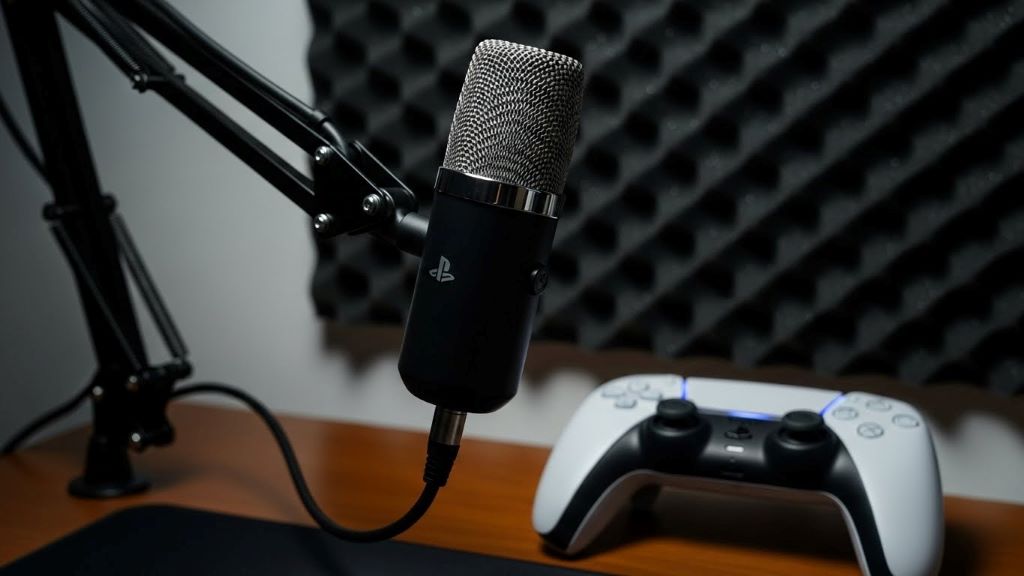
USB microphones connect directly to your PS5 and offer professional-grade audio quality. These microphones typically include advanced features like gain control, zero-latency monitoring, and multiple pickup patterns.
The main advantage of USB microphones is superior sound quality compared to headset microphones. They capture your voice with greater clarity and detail. Therefore, teammates hear you more naturally without compression artifacts.
Desktop placement requires careful consideration in shared rooms. Position your USB microphone close to your gaming position to maximize voice pickup while minimizing background noise. Shock mounts help reduce vibrations from desk movements or keyboard typing.
Some USB microphones include companion software for PS5. This software allows detailed customization of audio settings, noise gates, and equalization. However, basic functionality works without additional software installation.
Microphone Positioning Strategies
Proper microphone placement dramatically affects audio quality in shared environments. Position matters just as much as equipment quality.
Keep your microphone close to your mouth, ideally three to six inches away. This proximity ensures your voice remains the loudest sound source, naturally drowning out background noise. Closer positioning also allows lower sensitivity settings.
Angle the microphone away from noise sources when possible. If your roommate typically sits behind you, position your microphone facing forward. This takes advantage of directional pickup patterns to reject rear sounds.
Use physical barriers to block sound transmission. Even simple solutions like positioning your monitor between your microphone and noise sources help reduce pickup. Additionally, acoustic foam panels can absorb sound reflections in your immediate area.
Desk-mounted microphone arms provide excellent positioning flexibility. These arms allow you to adjust height, angle, and distance easily. Furthermore, they keep your microphone stable and reduce desk vibration transmission.
Software Solutions and PS5 Settings
The PS5 includes built-in audio settings that improve microphone performance. Accessing these settings optimizes your setup for shared room conditions.
Navigate to Settings, then Sound, then Microphone to adjust input levels. The PS5 displays a visual meter showing your microphone’s input level. Adjust until your normal speaking voice registers in the middle range without peaking.
Enable voice chat audio boost if your microphone sounds too quiet to teammates. This setting increases your output volume without requiring you to speak louder. However, it may also amplify background noise slightly.
Party chat settings allow you to prioritize chat audio over game sounds. This ensures you always hear teammates clearly, which improves coordination during gameplay. You can adjust the balance between chat and game audio to your preference.
Consider using Discord through the PS5 browser for enhanced communication features. Discord offers superior noise suppression compared to native PS5 party chat. Additionally, Discord provides more granular control over individual user volumes and audio settings.
Budget Considerations and Value Options
Quality microphones exist at every price point. Understanding what features matter most helps you maximize value within your budget.
Entry-level options under fifty dollars often provide significant improvements over built-in controller microphones. Basic headsets with boom microphones offer decent noise rejection and adequate audio quality for casual gaming.
Mid-range options between fifty and one hundred fifty dollars typically include better noise cancellation, improved build quality, and more comfortable designs. These microphones strike an excellent balance between performance and affordability.
Premium options above one hundred fifty dollars deliver professional-grade audio and advanced features. However, casual gamers may not notice substantial differences compared to mid-range options. Therefore, consider your needs and usage frequency before investing heavily.
According to CNET, spending more doesn’t always guarantee better performance for every user. Match your purchase to your specific requirements rather than simply buying the most expensive option.
Etiquette and Communication with Roommates
Successful shared room gaming requires consideration and communication. Establishing clear expectations prevents conflicts and maintains positive relationships.
Discuss gaming schedules with roommates to identify quiet times when background noise naturally decreases. Late evening or early morning sessions might work better if roommates sleep different hours. Additionally, coordinating schedules shows respect for shared space.
Use push-to-talk features during particularly noisy periods. This feature keeps your microphone muted except when you actively press a button to speak. Push-to-talk prevents accidental transmission of roommate conversations or activities.
Inform roommates when important gaming sessions occur. If you have a competitive tournament or crucial raid scheduled, giving advance notice allows roommates to plan accordingly. They might choose to leave the room, wear headphones, or schedule their own activities elsewhere.
Consider wearing closed-back headphones to contain game audio. This prevents game sounds from bleeding into your microphone and disturbing roommates. Furthermore, it shows consideration for others sharing your living space.
Testing and Optimizing Your Setup
After selecting and installing your microphone, thorough testing ensures optimal performance. This process identifies issues before they affect your gaming experience.
Record test audio clips using the PS5’s built-in recording feature. Play back these recordings to hear how your microphone sounds with typical room background noise. This reveals whether your settings effectively filter unwanted sounds.
Ask teammates for honest feedback about your audio quality. They can identify issues you might not notice yourself, such as breathing sounds, mouth clicks, or persistent background hum. Their perspective provides valuable information for adjustments.
Test during different times and noise conditions. Your microphone might perform well during quiet periods but struggle when roommates are active. Understanding these limitations helps you adjust settings or switch communication methods as needed.
Experiment with sensitivity levels and positioning until you find optimal settings. Small adjustments often yield significant improvements. Therefore, invest time in fine-tuning rather than accepting subpar audio quality.
Maintaining Your Microphone Equipment
Proper maintenance extends your microphone’s lifespan and preserves audio quality. Regular care prevents performance degradation over time.
Clean your microphone regularly using appropriate methods. Headset microphones benefit from gentle wiping with slightly damp cloths to remove oils and debris. USB microphones often include removable pop filters that need periodic cleaning.
Store equipment properly when not in use. Headsets should hang on stands or hooks rather than lying on desks where they might get crushed. USB microphones benefit from dust covers that protect sensitive components.
Check cables and connections periodically for wear. Frayed cables or loose connections cause audio problems that might seem like microphone failures. Early detection prevents sudden equipment failures during important gaming sessions.
Update firmware when manufacturers release improvements. Many modern microphones receive firmware updates that enhance performance or add features. These updates often include improved noise cancellation algorithms.
Alternative Solutions for Extreme Noise
Some shared room situations present overwhelming noise challenges. In these cases, alternative approaches might serve you better than traditional microphones.
Text chat provides completely silent communication. Many games support robust text chat systems that work effectively for coordination. While slower than voice communication, text avoids all audio issues entirely.
Mobile companion apps allow voice chat through your phone with headphones. This separates your gaming audio from communication audio completely. Your roommates hear neither your teammates nor your responses.
Gaming during different hours might be the simplest solution. If noise levels vary predictably throughout the day, adjusting your gaming schedule eliminates the problem at its source. Early morning or late night gaming often provides quieter conditions.
Temporary room dividers or curtains create acoustic barriers. While not soundproof, these additions absorb and deflect sound, reducing what your microphone captures. This low-cost solution improves any microphone’s performance.
Conclusion
Selecting the right PS5 microphone for shared room gaming requires balancing multiple factors. Noise cancellation, directional pickup patterns, and proper positioning all contribute to clear communication despite background noise. Whether you choose a gaming headset or standalone USB microphone, understanding your specific challenges helps you make the best decision. Remember to communicate with roommates, test your setup thoroughly, and adjust settings for optimal performance. With the right equipment and approach, you can enjoy seamless voice chat without compromising your shared living space harmony.
Frequently Asked Questions
What is the best type of microphone for gaming in a shared room?
Gaming headsets with boom microphones work best for shared rooms. The microphone’s proximity to your mouth naturally reduces background noise pickup. Additionally, headsets with cardioid pickup patterns and noise cancellation provide the clearest voice quality.
Can I use a USB microphone with my PS5 in a shared room?
Yes, USB microphones work with PS5 and offer excellent audio quality. However, they require careful positioning close to your mouth to minimize background noise. Directional USB microphones with gain control provide better shared room performance than omnidirectional models.
How do I reduce background noise on my PS5 microphone?
Lower your microphone sensitivity in PS5 audio settings to reduce background noise. Position your microphone close to your mouth, use directional pickup patterns, and enable any built-in noise cancellation features. Physical positioning away from noise sources also helps significantly.
Is the PS5 controller microphone good enough for shared room gaming?
The PS5 controller microphone is not ideal for shared rooms. It picks up sound from all directions without sophisticated noise filtering. Teammates will hear background conversations and activities clearly. Upgrading to a dedicated microphone dramatically improves audio quality.
Should I use push-to-talk in a shared gaming room?
Push-to-talk is highly recommended for shared rooms. This feature keeps your microphone muted except when you actively speak. It prevents accidental transmission of roommate conversations and protects everyone’s privacy while gaming.
Related Topics:
Top 10 Best Gaming Phones in the World in 2023
Best gaming keyboards: types, features, brands and more







Post Comment